Cute penguin, less scrolling.
A little penguin lives on your lock screen. Its crown glows when you stay off your doomscroll apps, it catches a cold when you don't, and it feels better after a 15-minute break.
Less scroll, more glow. ❄️
Coming soon to iPhone.

How Snowpea feels
You pick your doomscroll apps and a daily budget. Snowpea's mood follows how much of today's budget you've used.
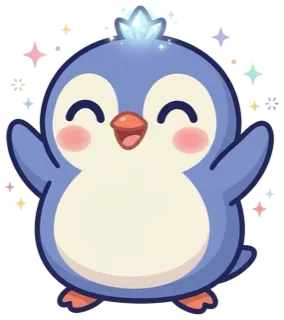 ThrivingUnder a quarter used
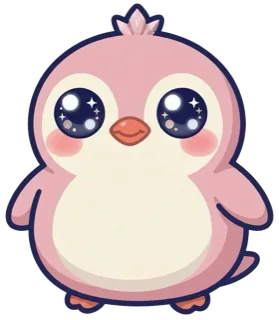 OkayA quarter in
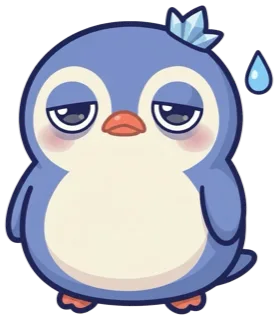 TiredHalfway through
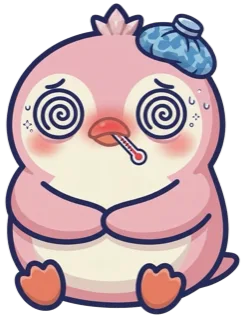 A little coldPast today's budget
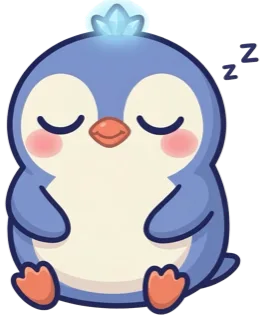 NappingDuring a Rescue
Help and FAQ
Snowpea is still being built, so these answers describe how it will work at launch.
How does Snowpea know how much I've scrolled?
Snowpea uses Apple's Screen Time. You pick your apps and a daily budget, and iOS tells Snowpea each time you pass a quarter, half and all of that budget.
Snowpea never sees the names of the apps you picked, your exact minutes, or anything you do inside those apps.
Can I have a pink penguin?
Yes. Choose blue or pink when you set up, then give your penguin its own name.
Can Snowpea die?
Never. The worst that happens is Snowpea catches a little cold. Take a 15-minute break and it starts feeling better.
What is a Rescue?
Rescue time pauses your chosen apps for 15 minutes while Snowpea naps. Finish the nap and Snowpea feels one step better. Stop early and the nap doesn't count.
Rescues are always free and unlimited.
How do I put Snowpea on my Lock Screen?
Touch and hold your Lock Screen, tap Customize, then Lock Screen. Tap the widget area under the clock and choose Snowpea.
Snowpea hasn't changed on my Lock Screen
iOS refreshes widgets on its own schedule, usually within a minute or two. Opening Snowpea refreshes it straight away.
My apps aren't being counted any more
After some iOS or app updates, Apple can reset the apps you picked. Open Snowpea's settings and pick your apps again.
How do I cancel or restore a subscription?
Apple manages subscriptions. To cancel, open the Settings app, tap your name, then Subscriptions.
To restore a purchase on a new iPhone, use Restore purchases in Snowpea's settings.
Which devices does it work on?
iPhone with iOS 17 or later.
Something else? Email support@subtlechaoslabs.com.
Privacy policy
Effective 19 November 2026. This policy covers Snowpea: Screen Time Pet for iPhone, made by Subtle Chaos Labs.
Snowpea does not collect, store or share any personal data. Everything stays on your iPhone.
- Accounts
- None. You never sign in.
- Screen Time
- With your permission, Snowpea uses Apple's Screen Time framework. Apple gives the app coded tokens for the apps you choose, not their names, and tells it when you pass your budget. Snowpea can't see your browsing, messages or exact usage, and none of it leaves your iPhone.
- Your penguin, streak and settings
- Saved only on your iPhone, where the app and its widgets can read them. Deleting the app deletes them.
- Notifications
- Created by your iPhone itself. No server sends them.
- Ads, analytics and tracking
- None. The app contains no third-party code that collects data.
- Purchases
- Handled by Apple through the App Store. Apple doesn't pass your name or payment details to us.
- Children
- The app collects no data from anyone, including children.
- Changes
- If this ever changes, we'll update this page first, with a new effective date.
- Contact
- support@subtlechaoslabs.com